

A company’s internal system launches an AI summary feature. In the first month, the usage curve climbs steadily, and a manager says at the weekly meeting: “Everyone’s using it. Next, let’s connect it to customer support replies and have it send them directly.” That same week, the support team lead tells a colleague privately that she rereads every AI summary, because last time a refund amount was summarized wrong.
Both things are true at once. More people using a tool and people trusting it are different things. Whether an AI feature should be rolled out faster shouldn’t depend on usage. It should depend on whether users can back out: choose not to use it, undo what the AI did, and reach someone who can take over when it goes wrong. When all three ways back are in place, that’s the time to speed up.
Does more usage mean acceptance?
The view is intuitive, and the data supports the “more people use it” half. The Pew Research Center published a survey in June 2026 of 5,119 U.S. adults, conducted in February. It found that 49% say they use AI chatbots, compared with 33% in the 2024 survey (the questions weren’t worded identically, so the comparison is approximate). TechCrunch, reporting on the same survey, noted that about a quarter of Americans use them daily.
Looking only at that column, the conclusion would be “time to accelerate.” Teams rolling out AI often think the same way: the people not using it yet just aren’t familiar with it, so run a few more training sessions.
The people using it are worried too
Other numbers in the same survey tell a different story. 63% think AI is advancing too quickly. 71% think more AI use will make their personal information less secure, while only 3% think it will become more secure. Asked about AI’s impact on society over the next twenty years, 40% expect a negative impact and only 16% a positive one.
These numbers don’t contradict the usage figures, because they come from the same people. Many use AI for low-risk things like looking things up or tidying text, yet become cautious when their personal data, money, or commitments to others are involved. They aren’t opposed to AI. They’re asking whether it will cross a line they thought was there before they’re ready.
So more training doesn’t fix this kind of worry. Users understand what AI can do. What they’re unsure about is whether they’ll still have options when something goes wrong.
What to check instead: three ways back
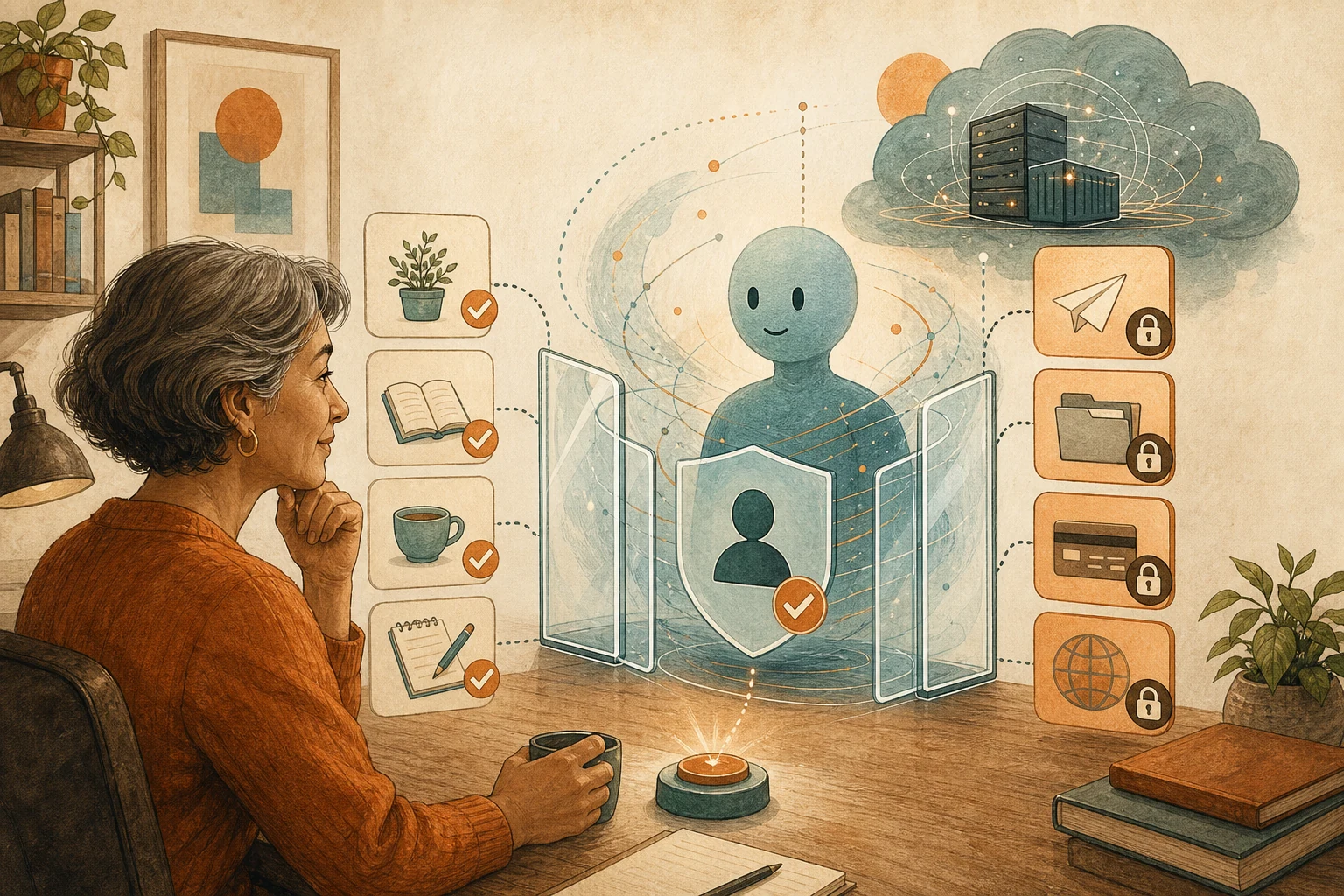
Break the worry down and it usually lands in three places, each matching one way back.
First, can users choose not to use it? If an AI feature becomes the default the moment it launches and there’s no obvious way to switch it off, worry grows. A steadier approach is to tell users what it does first, then let them choose: suggestions only, drafts only, never send automatically. The same applies at work: “willing to try it” doesn’t mean “every process goes to AI from today.”
Second, can users undo what the AI did? Being willing to let AI draft an email doesn’t mean being willing to let it send one. Being willing to let it organize data doesn’t mean being willing to let it delete data. If what the AI does can be previewed and rolled back to the previous version, users dare to hand it more. The 71% worried about personal information belong here too: what data the AI reads, how long it’s kept, whether it’s used for training, and whether it can be deleted all need to be explained in plain language, not buried in long terms.
Third, can users reach a person when it fails? Many AI interfaces handle errors with a single “regenerate” button. But in a workflow, the error may already have reached the next person: a wrongly summarized refund amount leads support to give the wrong answer, and a misclassified case goes to the wrong department. Users need to know who to report errors to, whether errors are recorded, and whether they can switch to human handling right away.
The support lead at the start is missing exactly this third way back. She rereads every summary because when the last error happened, nobody told her what went wrong or how it would be prevented. Connecting AI to support and letting it send replies directly in that situation removes the only way back she has.
More ways back is not always better
More ways back isn’t always better. Every “are you sure?” dialog has a cost. For low-risk tasks where mistakes are harmless, such as titling meeting notes or tidying a to-do list, forcing three checkpoints just makes people give up on the tool. How solid the ways back need to be should follow the consequences: the higher the cost of a mistake, the more complete they must be; the lower the cost, the more the AI can simply act.
Also, having every way back in place doesn’t guarantee users will trust the feature. It only gives trust a chance to form. What actually builds it is the experience of a way back working when something did go wrong.
Back to the one feature you’re about to push
Next time someone in a meeting says “usage looks great, let’s accelerate,” take the specific AI feature you’re about to push and ask three questions. Can users choose not to use it? Can what the AI did be undone? Can they reach a person when it fails? If all three have answers, go ahead. The one without an answer is what needs fixing before the rollout. Until it’s fixed, keep the feature in the suggestion or draft position.
If the AI you’re rolling out touches accounts, payments, or commitments to others, read this alongside An Always-On AI Assistant Should Learn to Stop Before It Joins Your Main Accounts. If users worry that the AI remembers things it shouldn’t, see Once AI Remembers Your Opinions, It’s More Likely to Agree With You.
AI handoff card
Ask AI whether an AI feature you’re about to roll out has ways back This prompt asks about the feature’s current state, checks the three ways back one by one, and suggests where the feature should stay until they’re in place.
I'm about to roll out an AI feature in my company or product and want to check first whether users can back out.
The method comes from this article: https://boosterminiclass.com/en/posts/ai-adoption-backlash-signal-checklist/
Its view: rising usage doesn't mean trust has caught up. Whether an AI feature should be rolled out faster depends on three ways back: whether users can choose not to use it, undo what the AI did, and reach a person who can take over when it fails.

Ask me 3 questions first:
1. What does this AI feature do, and is it on by default or turned on by users themselves?
2. Does what the AI does directly affect other people or external systems (for example sending, changing, deleting, or paying)?
3. When users notice an AI error, what can they do today, and who can they contact?

Based on my answers, give me:
- The current state of each way back: in place / missing / unclear;
- Whether the cost of this feature getting it wrong is high, medium, or low, and how complete the ways back need to be;
- A one-line conclusion: roll out faster now, or keep it as a suggestion, a draft, or opt-in first;
- For any missing way back, the smallest workable fix.
Don't offer "more training" as the answer. If information is missing, ask me first.
AI can only help you ask the full set of questions. Whether to speed up the rollout is still up to the person responsible for the feature.
References
- Pew Research Center: Americans and AI 2026: Chatbots, Smart Devices and Views on Impact — https://www.pewresearch.org/internet/2026/06/17/americans-and-ai-2026-chatbots-smart-devices-and-views-on-impact/ (2026-06-17)
- TechCrunch: Only 16 percent of Americans think AI will have a positive impact on society, a new study shows — https://techcrunch.com/2026/06/17/only-16-percent-of-americans-think-ai-will-have-a-positive-impact-on-society-a-new-study-shows/ (2026-06-17)
- The National News Desk (WCIV ABC News 4): Americans embrace AI, but with skeptical eye, Pew survey shows — https://abcnews4.com/news/nation-world/americans-embrace-ai-but-with-skeptical-eye-pew-survey-shows (2026-06-19)